 Get VB Tools Installer
Bilingual stage displays singers can actually read
VerseBridge is a web app for building bilingual songs. The VB Tools Installer (free for Pro + Campus subscribers) adds stage layouts and macros to ProPresenter on your computer so singers see the right language with a clean next-line preview.
Free for Pro + Campus subscribers · Windows + macOS installers
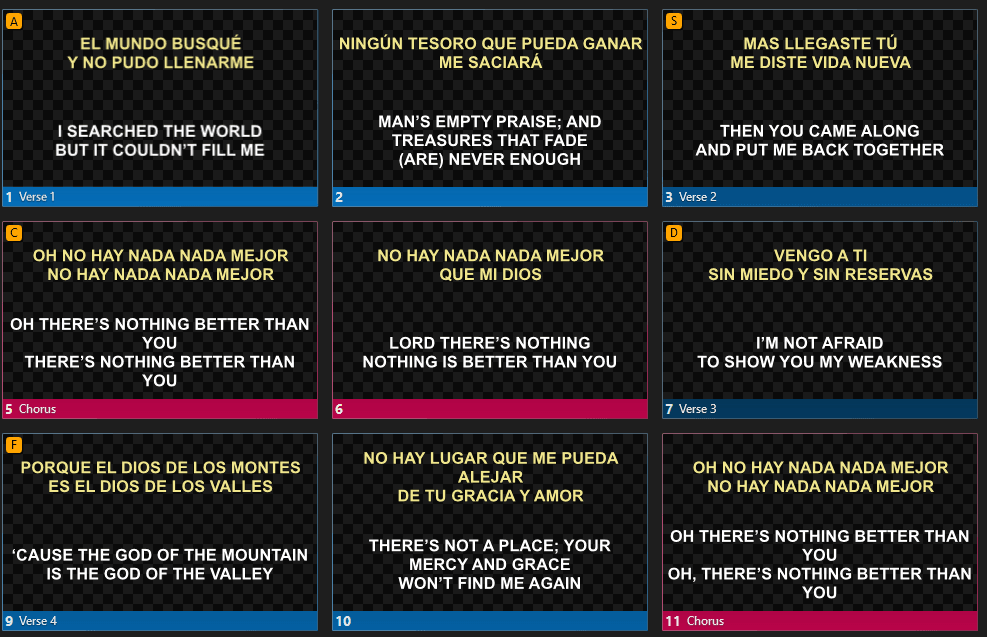
What the installer adds
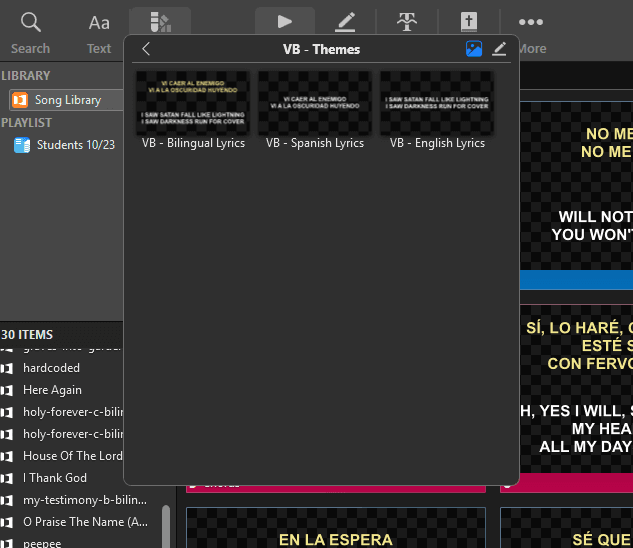
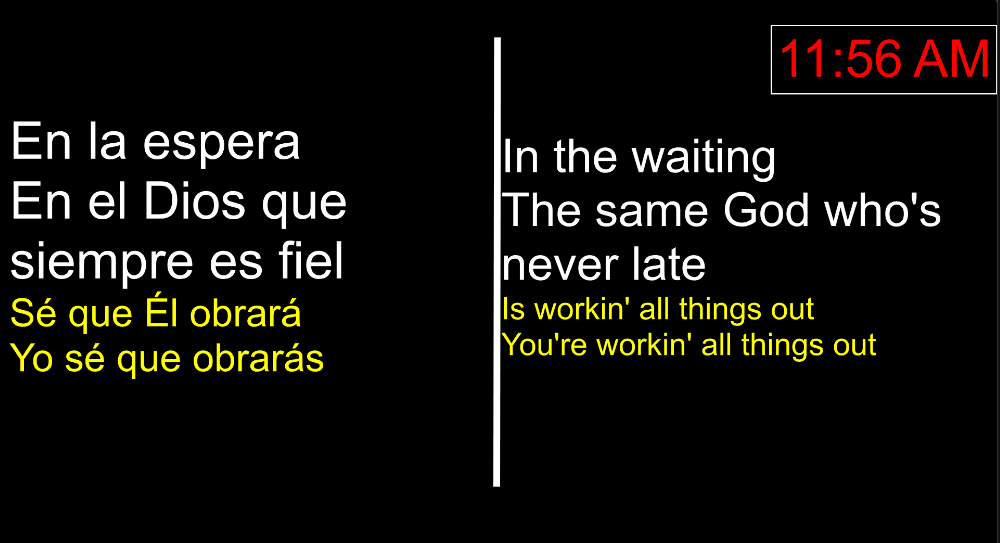
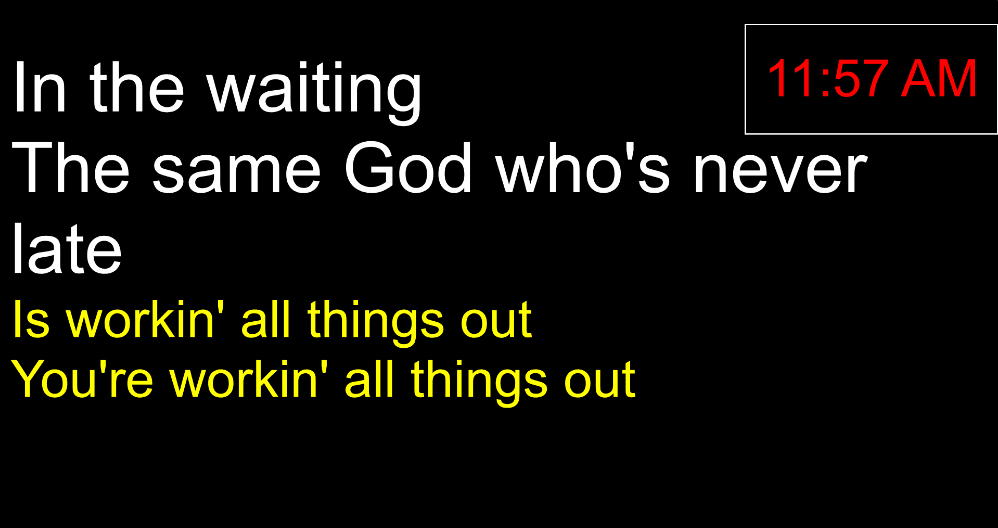
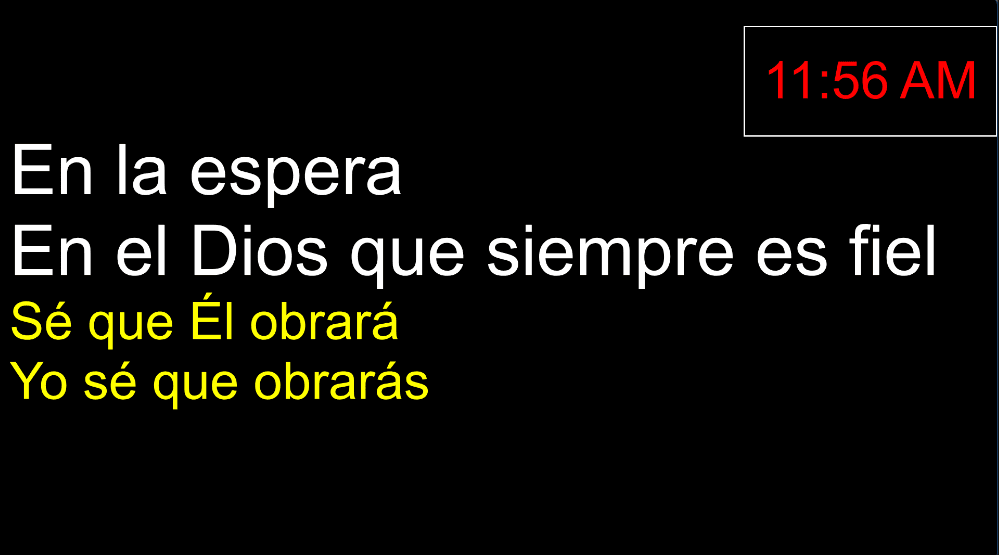
A visual snapshot of the VB tools in ProPresenter.
Looks, themes, stage layouts, and macros arrive ready to use without overwriting your existing setup.
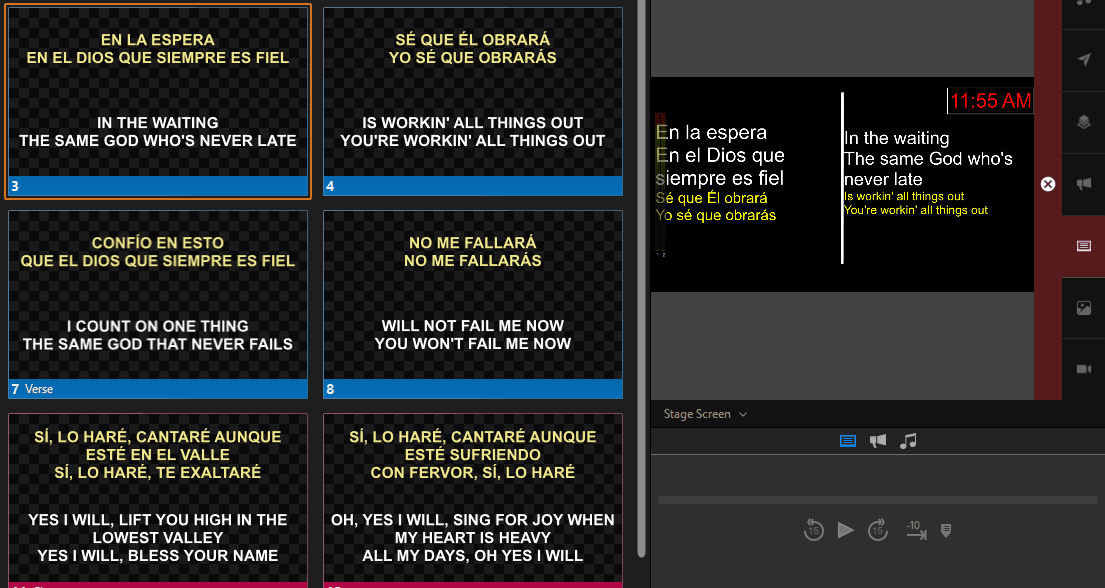
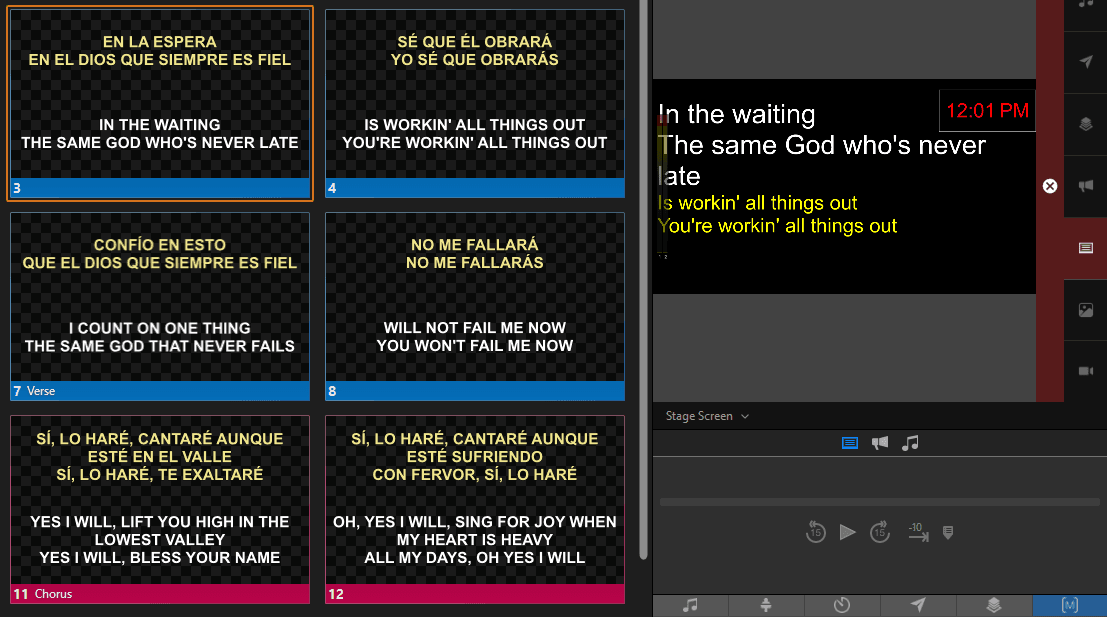
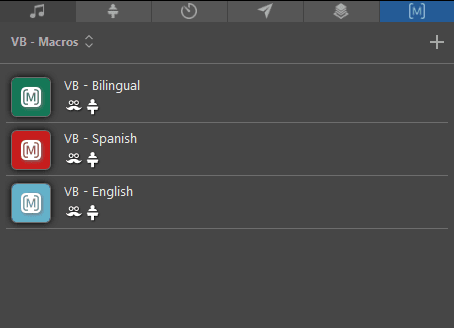
Video walkthrough
See VerseBridge in action.
A guided tour of the editor workflow, alignment tools, and ProPresenter export setup.
The confidence monitor problem you already know
Singers see both languages at once, crammed with no next-line preview.
Stage screens feel like a compromise instead of a true confidence monitor.
Switching to one language mid-service means manual edits or messy workarounds.
Install VB Tools
The installer (free for Pro + Campus subscribers) adds VerseBridge stage layouts, macros, and themes without touching your existing setup.
Pick a stage layout
Choose the bilingual or single-language confidence monitor layout built for clean readability.
Switch languages live
Use one-click macros to swap between English, Spanish, or bilingual on the fly.
What the stage layouts unlock
- Clean bilingual confidence monitor with next-line preview
- Instant language switching without editing lyrics
- Stage layouts that mirror your audience look
- Works with your existing stage screen routing
- Backup + restore built in
Confidence monitor checklist
A stage layout that serves singers, not just operators.
- Next-line preview stays readable at a glance
- Singer-friendly font sizing for real stages
- One-language mode without editing lyrics
- Bilingual mode without crammed lines
- Layouts match your existing audience looks
Explore other VerseBridge solutions
Bilingual lyrics for ProPresenter
Clean audience looks with instant language switching.
Bilingual stage layouts
Confidence monitor layouts with next-line preview.
Bilingual ProPresenter slides
Align two languages and export a .pro file.
VerseBridge theme pack
Free themes for bilingual, English, and Spanish.
English + Spanish slides
A quick walkthrough for building bilingual slides.
ChordPro bilingual export
Export bilingual slides from ChordPro in minutes.
Volunteer-friendly workflow
Keep every operator consistent and confident.
Fast bilingual song prep
Prepare songs quickly without rebuilding slides.
Multi-campus consistency
Standardize bilingual presentation across teams.
Ready for a stage display that actually serves your singers?
Build songs in VerseBridge, then use the installer to switch stage languages live without editing lyrics.
Free for Pro + Campus subscribers · Windows + macOS installers
Do I have to rebuild my ProPresenter stage screens?
No. VerseBridge adds layouts only. Your existing stage screen routing stays untouched.
Can I show only one language for singers?
Yes. Use the English or Spanish layout, or switch mid-service with a macro.
Will this change my audience screens or playlists?
No. It only adds stage layouts and macros. Your existing looks, media, and playlists stay intact.
What ProPresenter versions are supported?
ProPresenter 7 on Windows and macOS.